Models in the app
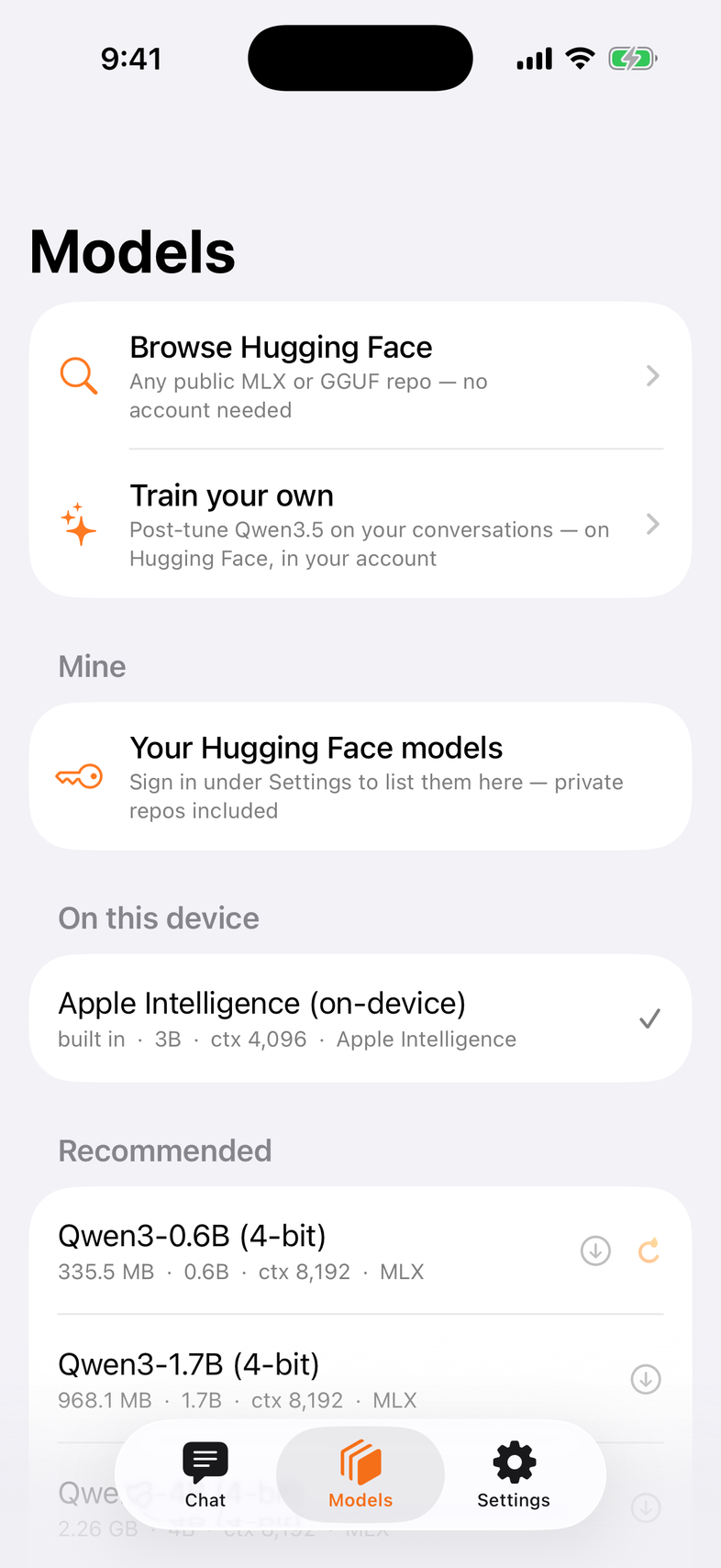
One tab, four sources. Every row says its size, its context, whether it sees pictures and whether it fits this phone — before anything downloads.
The loopl collection
The first section of the tab is the loopl collection on Hugging Face, in the curator's order: the MLX 4‑bit builds (with the vision badge read from their files), the GGUF builds under one disclosure, each with the collection's note as its subtitle — quiz score against the base model, tool-call results. Tap a row for the same sheet Browse uses, download once, chat. The list refreshes from the Hub once per launch and on pull; offline it shows the last copy (the footer says when it was updated), and a fresh install offline still lists the models from a snapshot shipped with the app. Datasets, bf16 merges and LoRA adapters in the collection are not runnable on the phone and are not shown.
First launch
The mark draws itself, then three short pages show what you are about to get — an answer with the network off, an approval card you tap yourself, a photo and a recording turning into tool calls. They are the app's real components, not pictures; swipe or tap Continue, or Skip at any point.
Then three cards — Qwen3 0.6B (fastest), Qwen3.5 0.8B (small, sees pictures), Qwen3.5 2B (smartest of the three, about 3 GB of memory). The line under them says what the download costs on the network you are on (Wi‑Fi, cellular, offline). On iOS 26 with Apple Intelligence on, Use Apple Intelligence instead skips the download. While the first model downloads you can sign in to Hugging Face (optional — it unlocks your private models and Train your own) or tap Later. The download carries on in the background if you leave. Settings › About › Show intro again replays the whole thing.
More models
The rest of the catalog — the models loopl is tested with: Qwen3, Qwen3.5, Qwen3‑VL, Llama 3.2, Gemma 3, Phi‑4 mini, SmolLM, DeepSeek, listed with sizes on Models — sits behind one More models row so the tab leads with the loopl models and Apple Intelligence. GGUF (llama.cpp, text only) builds are off the list until Settings › Look & feel › Show GGUF builds; anything already downloaded always stays under On this device. The app checks memory and free space (on the phone or the drive you download to) and says why when a model won't fit.
Browse Hugging Face
Search any public repo. A result becomes a model when loopl can run it: MLX safetensors or a .gguf. The sheet shows the files it will fetch, the size, the context it will use on this phone, and a vision badge when the repo really carries a vision tower.
Your private models — Mine
Paste a Hugging Face token in Settings › Hugging Face (read is enough to download; write to share and train). Models › Mine then lists your own repos, private ones included, newest first — models you trained from the app land here. The token stays in the Keychain and goes only to huggingface.co.
loopl v1
loopl-0.8b, loopl-2b and loopl-4b — Qwen3.5 post-trained on loopl's own tools and docs — are in the catalog as MLX 4‑bit (with vision) and GGUF (text). They are gated: the row asks you to sign in, and downloads with your token once you have access. Their identity is in the weights — the app sends only your own system prompt, to every model.
Vision, honestly
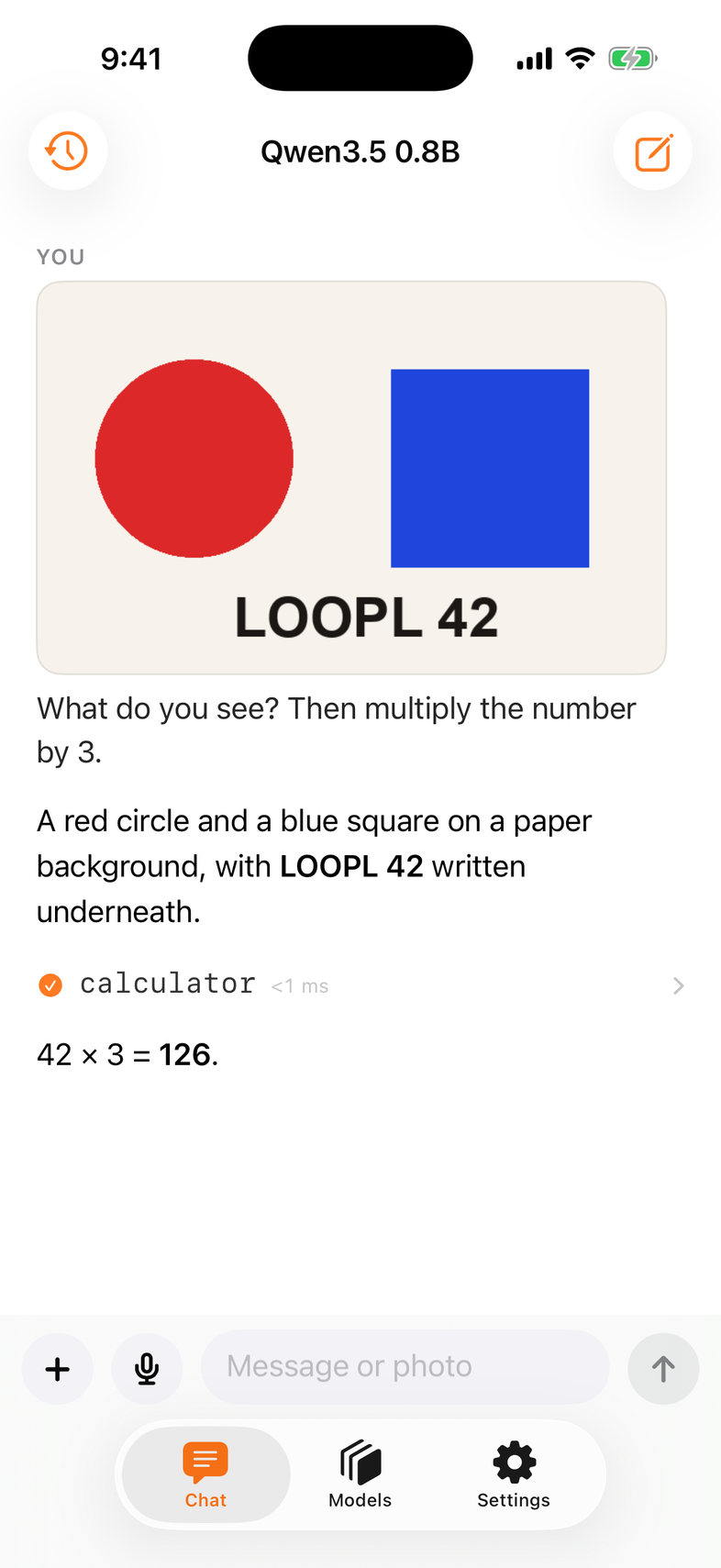
The photo button follows the weights on the phone, not the model's name: after a download loopl reads the model's own config.json, so a text-only export never shows a camera, and a vision export always does.
When a download won't start
It says why, where you tapped: not enough space (need vs free, with Open Settings › Storage), the chosen drive is away, the repo needs a token, or you are offline. Failed rows keep a Retry. A model whose tokenizer files are out of date is fixed on first load — Fixing model files — without downloading the weights again.