The app
Free, no sign-in, no analytics. On first launch you pick a model (loopl 0.8B · 2B · 4B, or Apple Intelligence with no download) and it downloads once; from then on you talk to an agent that uses the phone — with the network off if you like.
Public beta · iOS 18+ · the App Store listing follows the 1.0 review.
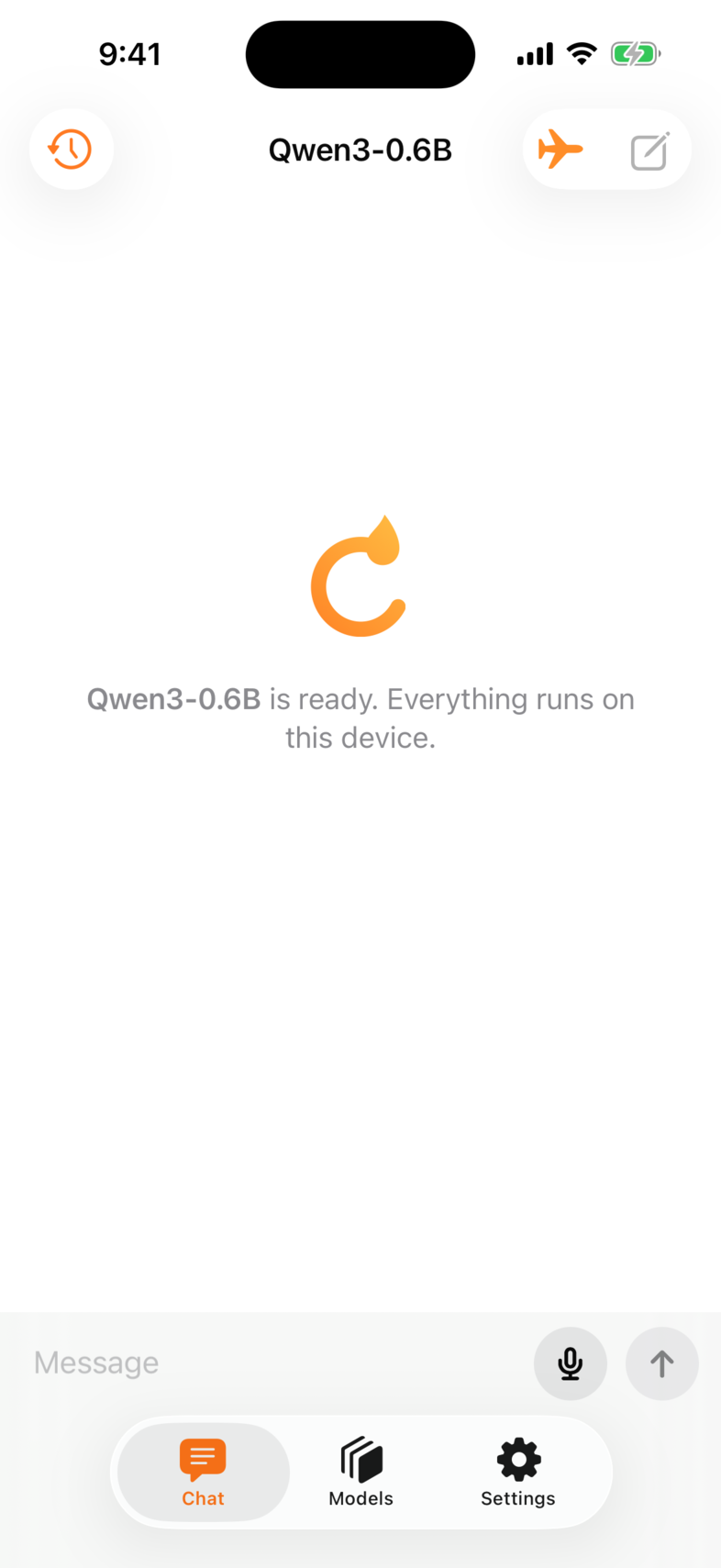
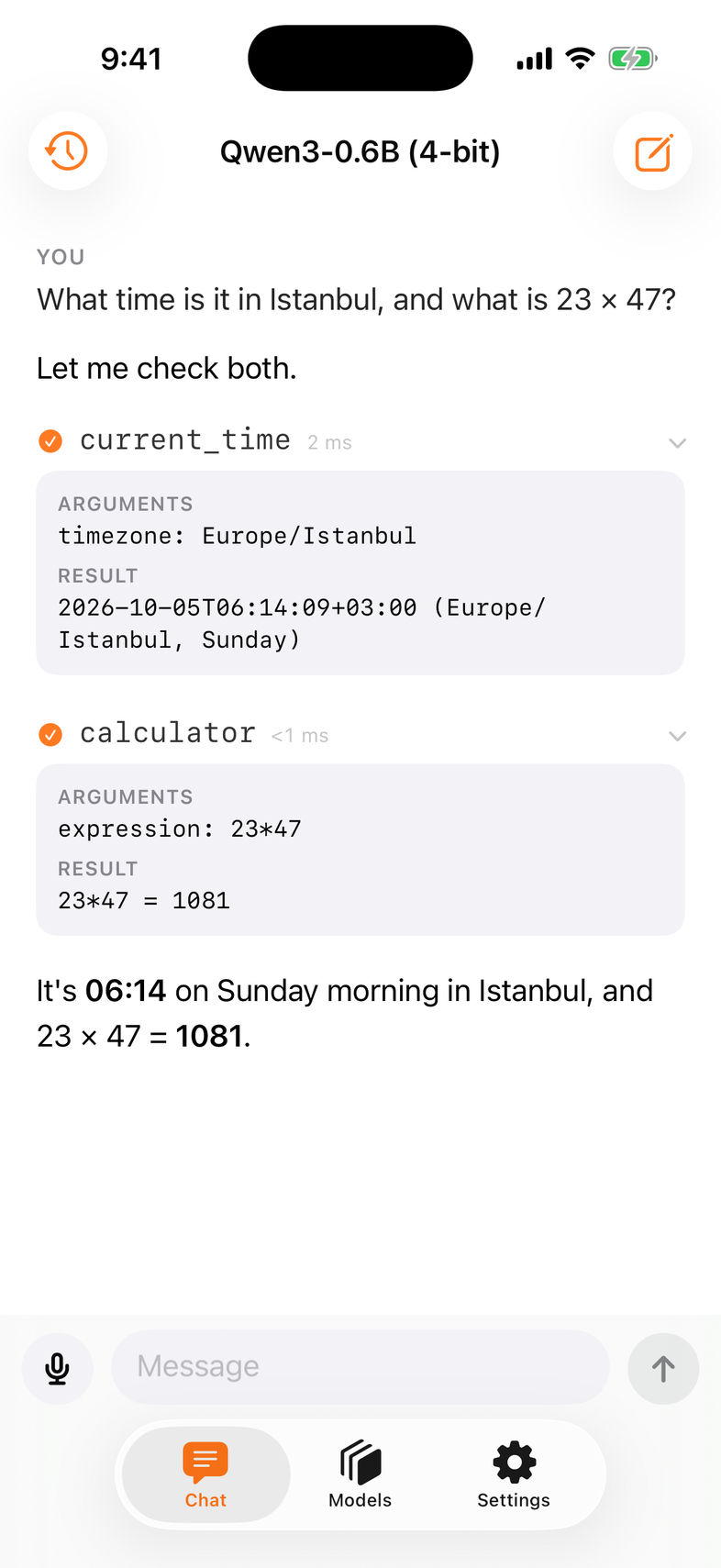
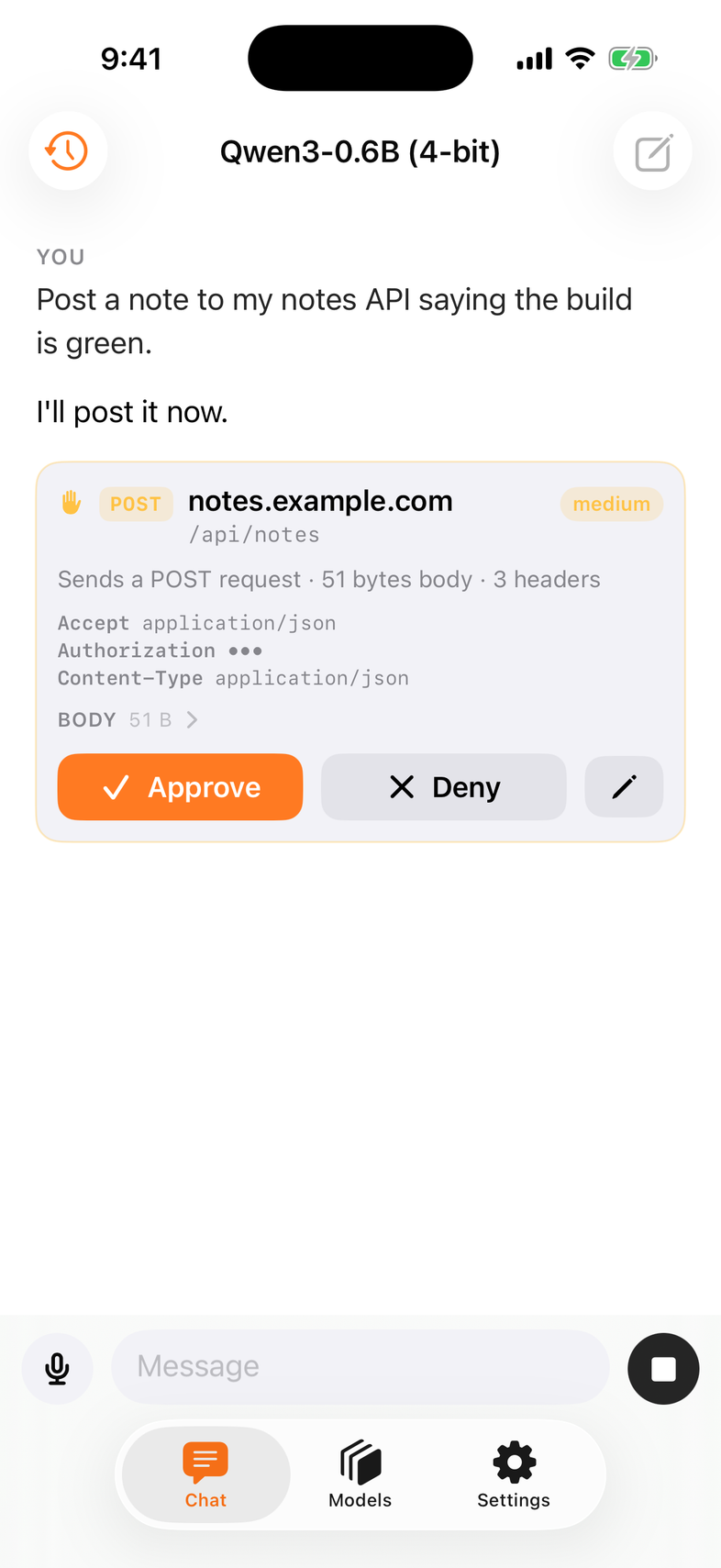
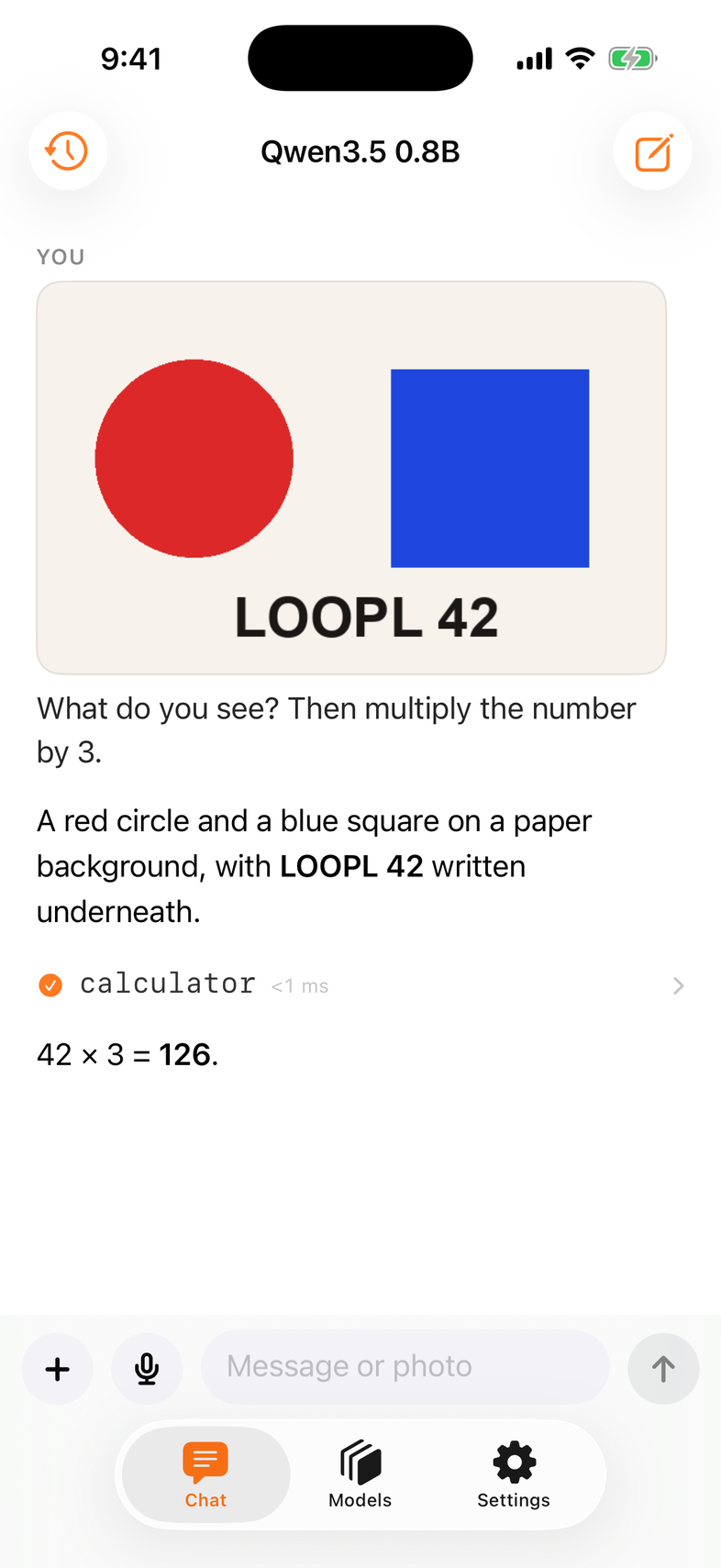
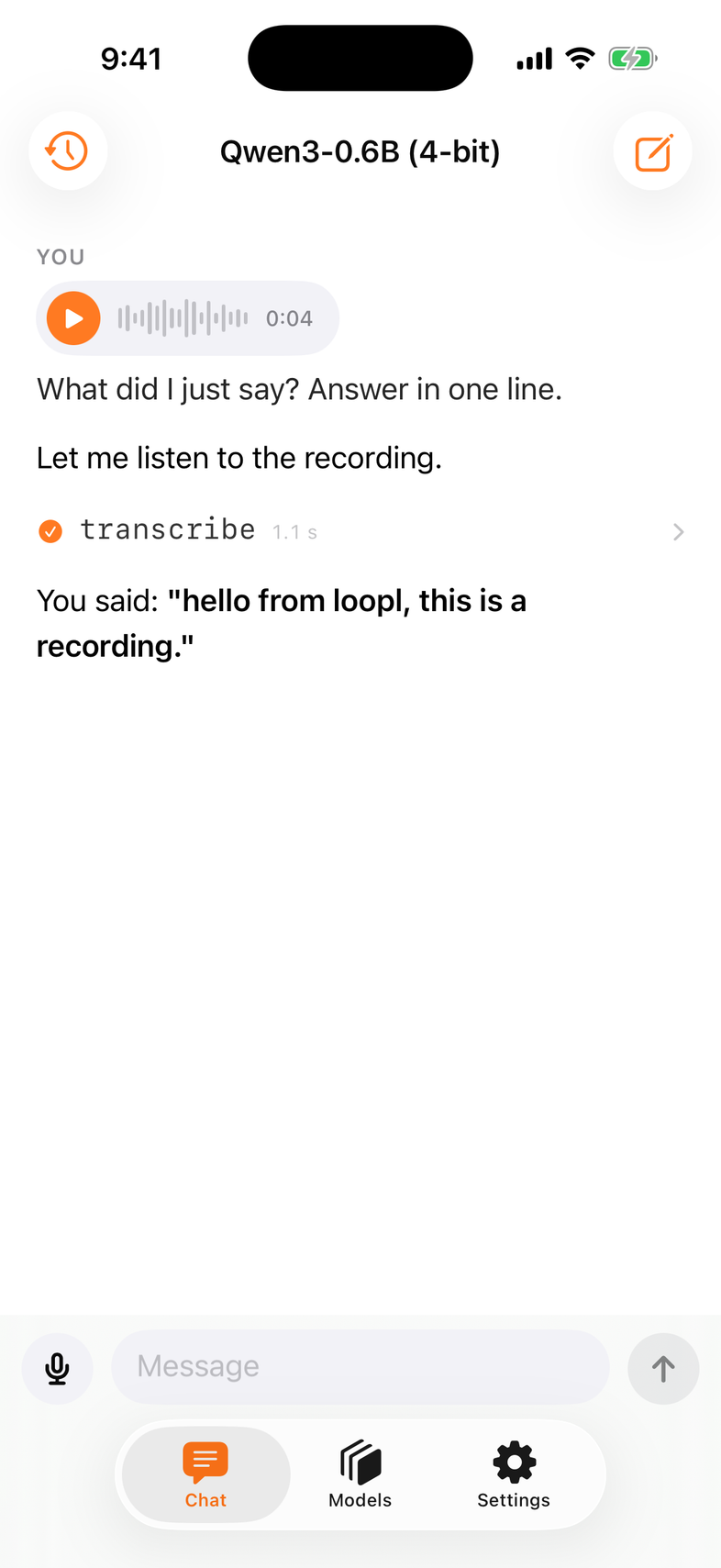
| Chat | a document, not bubbles: streaming text, folded thinking, tool rows with timing, image attachments, a mic that records a take for transcribe, Stop. |
| Video | with a Qwen3-VL model loaded, + → Photo or Video / Record Video / Video from Files attaches one clip per message. The chip shows the poster · length · how many frames the model will see (8–32 evenly spaced, sized to this phone's memory and the model's context) · whether the clip had speech. The model sees the frames natively; the audio track is transcribed on the phone and handed over as text — Qwen3-VL has no ears, and loopl says so rather than pretending. A text-only model gets the words that were spoken and a plain note that it cannot see the frames. → Video input |
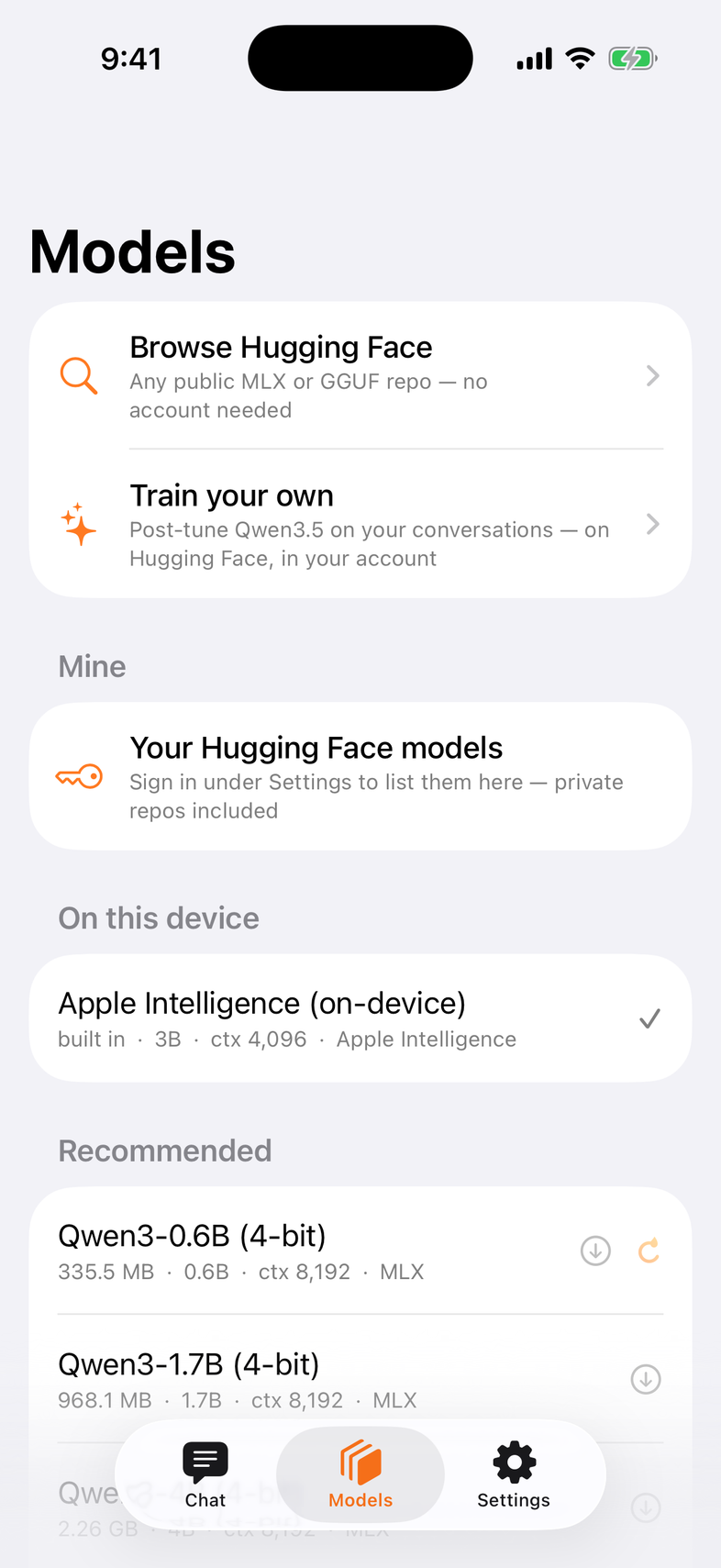
| Models | the catalog plus Browse Hugging Face — search, see size, context and whether it fits, download; your private repos under Mine; Apple's model on iOS 26. → Models |
| Settings | the system prompt (yours — nothing is added in front of it, for any model), which tools, what asks first, offline mode, Storage — models on the phone or a USB-C drive. |
| History | finished conversations. Swipe to delete one; Select → Select all, then Delete N (asks once; messages, pictures and recordings leave the device) or Share to Hugging Face: reviewed, redacted, into a private dataset of yours. |
Tools
Eleven tools — time, arithmetic, notes, http, and the iPhone's own: images, voice, transcription, translation, Vision, flashlight, haptics, other apps. Writes ask first. → Tools
Sub-agents
When the model calls use_agent, the row does not go dark: a card for each child agent opens under it — its name, one line of its instructions, the tools it was given, and the child's own stream rendered with the same rows you already know (text, tool rows, approval cards). A status chip says running · waiting for you · background · done · failed, with the time it has taken. A child that needs your approval shows the ordinary card inside its own; your answer goes to that child. Two helpers in parallel are two stacked cards. A child started in the background folds to one chip line (tap to open); while it still runs after the answer, the line stays under the transcript, and when it finishes the parent is woken — a quiet [use_agent … finished] line, then its follow-up — never a bubble you did not type. History keeps one summary line per child; the child's rows are not replayed. → Sub-agents (SDK)
Whose answer is it
A conversation reopened from History is replayed into a fresh context — the model never sees the old token history, and the model loaded now may not be the one that wrote those answers. When they differ, a quiet line under the title says so (Answered by Qwen3.5 2B), and becomes Earlier answers by … as soon as you add a turn. Nothing is shown when the thread and the loaded model agree.
Keyboard
With a hardware keyboard — iPad, Mac, or an iPhone in a case with one — ⌘N starts a new conversation, ⌘Y shows History (the sidebar on iPad, the sheet on iPhone), ⌘. or Esc stops an answer mid-stream, and ⌘↩ sends. Plain Return still makes a newline in the composer. Hold ⌘ on iPad to see the list.
Requirements
iOS 18+, 8 GB RAM recommended — the app checks memory and disk before a download. MLX needs a device; GGUF also runs on the simulator. Apple's model needs iOS 26 with Apple Intelligence on.
Motion
Nothing spins. Text fades in by chunk, tool rows open on a spring, details zoom out of the row you tapped, the mark draws itself once at launch. Under Reduce Motion everything is a plain cross-fade.
Built on the SDK
The app is App/ in the repository — Agent and Transcript from Loopl, the three runtimes, the iPhone tools and the LooplUI components. Read it as the worked example.